By Robin Singhvi · Founder, SmartCue · Updated April 29, 2026
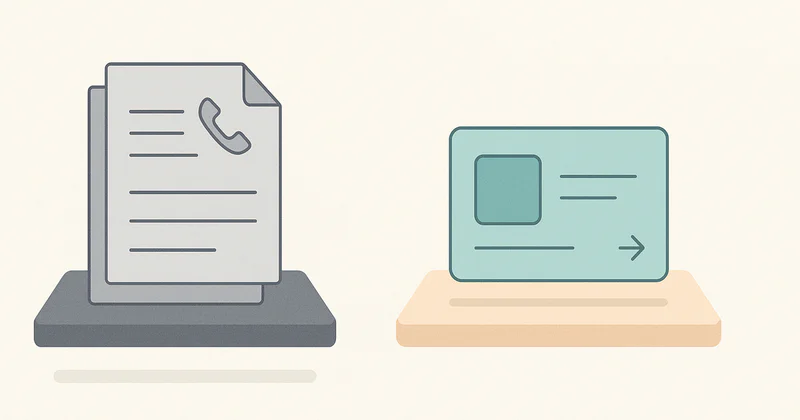
Every time someone types "SmartCue vs traditional demo software" into Google, they're asking a question that doesn't quite parse. "Traditional demo software" isn't one thing. It's at least three legacy patterns mashed together under a label that hides more than it explains. And the comparison post that sets up "SmartCue replaces all of it" is selling something I don't actually believe.
Here's the thesis I'll defend in this post: "traditional demo software" is three legacy patterns wearing a single label — screen recordings (Loom-style), live Zoom demos, and custom-built sales-engineering scripts. SmartCue doesn't replace what each pattern does well. It replaces what each pattern wastes. The static recording becomes a clickable interactive demo. The live Zoom becomes a shareable async asset. The custom script becomes a no-code editor flow. Three different swaps, three different pieces of waste, one coherent answer.
I've watched 4,000+ teams make this swap on SmartCue. They didn't burn their Looms. They didn't cancel every Zoom. They didn't fire their sales engineers. They moved the right work to the right artifact, and the part that interactive demos do better than anything else got the budget that used to be wasted.
This post is the long answer to "SmartCue vs traditional demo software" — not as a marketing dunk, but as the honest map of which legacy pattern you're actually replacing and which parts of it deserve to stay.
What "traditional demo software" actually means
When a buyer types "traditional demo software" into Google, they're imagining one of three things — sometimes all three, blurred together:
Pattern 1: Screen-recording tools (Loom, Vidyard, Soapbox)
A rep records their screen narrating a product walkthrough, gets a shareable link, and pastes it into an email. The viewer watches a video. This is the cheapest, most common pattern — and 90% of "we're already doing demos asynchronously" really means "we send Looms."
Pattern 2: Live demo platforms (Zoom, Google Meet, Demodesk)
A rep schedules a 30-minute call with a prospect, screen-shares the product, narrates the flow live, and answers questions in real time. The "demo software" here is really the conferencing tool plus whatever the rep has set up inside the actual product.
Pattern 3: Sales-engineering-driven custom demos
For complex enterprise products, an SE builds a custom demo environment for each major opportunity — sometimes a hand-coded prototype, sometimes a sandbox loaded with prospect-flavored test data, sometimes a Figma-prototype-meets-real-product hybrid. This is the highest-fidelity pattern and the most expensive to produce. Companies running this pattern at scale often have an internal "demo engineering" function.
These three are wildly different artifacts. They cost different amounts. They run on different timelines. They serve different funnel stages. The phrase "traditional demo software" lumps them together, which makes any "X vs traditional demo software" framing a category error unless you name which pattern you mean.
What's broken in each
Each pattern has a specific failure mode. Lumping them together hides which one is actually hurting you.
What's broken about Pattern 1 (screen recordings)
The recording is a one-way stream. The viewer watches at the rep's pace, sees what the rep chose to show, and gets zero engagement signal back beyond "watched 47% of a 4-minute video." There's no clickable surface, no branching, no way for the buyer to skip the part they already understood and dwell on the part they didn't. The rep records the same 4-minute Loom 30 times for 30 different prospects, each version slightly off because the talking-head intro is bespoke. That's the waste — the per-prospect re-recording, plus the loss of step-level signal.
What's broken about Pattern 2 (live Zoom demos)
Calendar friction kills the funnel. Buyers spend more than 70% of the buying journey before they want to talk to a vendor (Forrester's 2024 buyer research has the receipts). Asking a curious prospect to book a 30-minute slot to "see the product" is asking them to commit before they have enough signal to commit. The live demo itself is fine — what's broken is using it as the gate. And once the live demo happens, the asset evaporates the moment the call ends. No replay, no follow-up artifact, no way for the rest of the buying committee to see what just happened. That's the waste — the gating problem and the disposable output.
What's broken about Pattern 3 (custom sales-engineering scripts)
The cost. A bespoke demo environment for an enterprise opportunity can take an SE 20-40 hours to build. It's worth it for a $500K ACV deal. It's nonsense for a $25K deal — but most teams running this pattern apply it indiscriminately because they don't have a tier below it. There's also a maintenance tax: every time the underlying product UI changes, the custom demo drifts, and someone has to rebuild it. That's the waste — applying $500K-deal economics to $25K-deal opportunities, plus the never-ending refresh cost.
Three different failure modes. Three different things to fix.
What SmartCue replaces vs preserves
Now the actual comparison. SmartCue replaces a specific slice of each pattern — never the whole thing.
Vs Pattern 1: replace the static recording, preserve the human voice
A SmartCue interactive demo replaces the screen recording with a clickable walkthrough. The viewer drives the experience — clicks forward at their pace, branches by persona, skips ahead, dwells on what matters. You get step-level engagement signal: which of the 12 steps caused 40% of viewers to bail, which CTA was clicked, which persona variant the viewer chose.
What you preserve: the 30-second human-voiceover intro that sets context. SmartCue supports embedded video at specific steps, so the rep's "here's why this matters" narration lives inside the interactive flow, not as a replacement for it. You record the talking head once, embed it at step 1, and the rest of the demo is async-clickable. The waste — re-recording the same Loom 30 times — disappears. The signal — the human voice — stays.
Vs Pattern 2: replace the gate, preserve the high-stakes call
A SmartCue interactive demo replaces "book a 30-minute slot to see the product" with "click play and see it now." The buyer plays through the core flow in 60 seconds and decides whether to keep evaluating before any sales touchpoint. The asset is shareable — the buying committee can see what the champion saw, asynchronously, in their own time.
What you preserve: the live demo call for late-stage, high-stakes conversations. There's a moment in every B2B deal where the technical buyer wants to ask follow-up questions live, see how the product behaves under their specific edge case, and pressure-test the rep. That call is gold. It just shouldn't be the gate at the top of the funnel. With an interactive demo doing the early evaluation work, the live call happens later — with a more qualified buyer who's already played through the basics and has sharper questions.
Vs Pattern 3: replace the custom-built script, preserve the high-fidelity sandbox
A SmartCue interactive demo replaces the hand-built custom-prototype demo for the deals where the bespoke SE work was overkill. You install the Chrome extension, click through your real product the way an SE would script it, drop in persona-routing logic in the no-code editor, and ship it. Median demo on SmartCue is about 12 steps and takes about 6 minutes from end-of-capture to a published demo. That's a 20-40 hour SE task collapsed into something a PMM can produce in an afternoon.
What you preserve: the actual sandbox-with-real-data environment for the genuine $500K ACV enterprise deals where the technical buyer needs to see their own data flowing through the product. SmartCue interactive demos run on synthetic-flavored capture — they're great for the standard buyer journey, not for "here's exactly what your CRM data will look like in our system." Reprise's enterprise sandbox capture and TestBox-style demo data injection still earn their keep at that fidelity tier. SmartCue replaces the layer below it — the demos that didn't need $500K-deal economics in the first place.
When traditional patterns still win
This is the section most "X vs traditional" posts skip. I'll write it because the honest answer matters.
A 30-second branded video still wins at very-early-funnel awareness. Someone who's never heard of your product needs a hook before they'll click into a 6-step interactive walkthrough. That hook is usually a tagline, an image, or a 15-second clip. Interactive demos presuppose at least minimal awareness. If you're at the "nobody knows we exist" stage, shoot a video.
A live Zoom demo still wins for high-stakes late-stage conversations. When the deal is in legal review, when the technical buyer has CRM-specific questions, when procurement wants to pressure-test the rep on a live call — that's not an interactive-demo problem. The live call earns its keep at the bottom of the funnel.
A custom SE-built sandbox still wins for the genuine enterprise opportunity. If the deal size justifies 20-40 hours of bespoke SE work and the buyer's evaluation depends on seeing their own data flow through the product, build the custom sandbox. Don't try to do that work in an interactive demo. The fidelity ceiling isn't there.
A polished narrated Loom still wins for one-on-one human warmth. Sometimes a 90-second personalized video — "Hey Sarah, I noticed you signed up Tuesday, here's the three things I'd look at first" — does what no interactive demo can. The talking-head warmth is the artifact. Don't replace it with hotspots and tooltips.
If your situation maps to any of those four, choose the traditional pattern. If your situation maps to evaluation, scale, or async distribution — that's where SmartCue replaces the wasted parts.

Who's making this swap at production scale
The interesting pattern across the SmartCue customer base is that the teams making the most of the platform aren't replacing all of their existing demo work. They're replacing the part that was wasted and reinvesting the budget in the parts that worked.
Personify Health — global digital health platform, ~3,000 employees, formerly Virgin Pulse — runs hundreds of interactive demos across PMM-led, sales-led, and CS-led use cases, generating well over 100,000 viewer interactions. They still run live Zoom demos at the bottom of the funnel. The interactive demos replaced the top-of-funnel "schedule a demo" gating problem.
Creditsafe — global credit-data company, 1,500+ employees across the UK, Italy, France, Germany, Netherlands, and Belgium — runs 1,000+ interactive demos as the core artifact for regional sales enablement. Each region clones and translates a base capture, which replaces the per-region Loom re-recording cycle. The live demo call still happens; what changed is what comes before it.
OneDigital — 3,000+ employee benefits services — runs 250+ active interactive demos primarily for sales enablement, with AEs personalizing standard demo templates for individual prospect outreach. The custom-built bespoke demos still happen for the largest opportunities. The middle of the deal range now uses interactive demos instead.
League, Quisitive, Dario Health — each running interactive demos at production scale across overlapping use cases.
The unifying signal: in every case, interactive demos sit alongside other artifacts (videos, sales decks, live calls, case studies) as a category of their own. SmartCue holds a 4.7-star average across 25 G2 reviews in the Interactive Demo Software category — and the reviews that matter most read "we use it alongside our other tools," not "it replaced everything we had."

What it actually costs to make the swap
Tooling cost: $99 per user per year on SmartCue's Essential plan, $300 per user per year on Growth. Producer time: about 6 minutes per demo for the linear case, longer for branching variants. Maintenance cost: trivial — when product UI changes, you re-capture the affected steps in the Chrome extension, not rebuild from scratch.
Compared to the per-pattern legacy economics: a single SE-built custom demo can cost more than a year of SmartCue Growth seats. A monthly Loom subscription doesn't cost much, but the per-prospect re-recording time absolutely does. The economics are obvious enough that I won't belabor them — the question worth asking isn't "is this cheaper?" It's "what part of my current demo workflow is wasted, and is interactive the right artifact to replace it with?"
SmartCue runs on production-grade cloud infrastructure with AES-256 encryption at rest and TLS 1.2+ encryption in transit. Granular per-org access controls, audit logs, role-based access, custom domains on Growth, and IP allowlisting for demo viewing. HubSpot for lead sync — one CRM, done well, beats five integrated badly. Plus any platform that supports HTML embed for distribution. Full security details on /security.
Frequently asked about SmartCue vs traditional demo software
What is "traditional demo software," exactly?
The phrase usually means one of three legacy patterns: screen-recording tools (Loom, Vidyard, Soapbox), live demo platforms (Zoom, Google Meet, Demodesk), or sales-engineering-driven custom demos built per opportunity. They're different artifacts with different costs, timelines, and funnel positions — the phrase lumps them together.
Does SmartCue replace Loom?
It replaces the part of Loom that's wasted — the static, one-way recording with no step-level engagement signal — and preserves the part that works, the human-voice intro, by supporting embedded video at specific steps in the interactive flow. Most teams keep using Loom for one-on-one personalized videos and use SmartCue for repeatable, scalable async product demos.
Does SmartCue replace live Zoom demos?
Not for late-stage high-stakes calls — those still earn their keep. SmartCue replaces the gating problem at the top of the funnel: instead of "book a 30-minute slot to see the product," buyers click play and see it now. The live call happens later with a more qualified buyer.
Does SmartCue replace custom sales-engineering demos?
For mid-size opportunities where bespoke SE work is overkill, yes — a 20-40 hour SE task collapses into about 6 minutes of editor time on SmartCue. For genuine $500K-ACV enterprise opportunities where the buyer needs to see their own CRM data flowing through the product, no — that fidelity tier still belongs to custom sandboxes.
Where in the funnel does SmartCue fit best vs traditional patterns?
Top-of-funnel website embeds, mid-funnel comparison-page personalization, late-mid-funnel cold-email outreach, bottom-funnel procurement-proof artifacts, and post-sale onboarding. Live calls and custom SE work still belong at the bottom of the funnel for high-stakes late-stage conversations.
How long does it take to swap from traditional patterns to SmartCue?
The first interactive demo takes about 6 minutes from end-of-capture to a published artifact. The organizational swap — getting sales, marketing, and CS aligned on which demos belong as Loom, Zoom, custom-built, or interactive — takes longer. The teams who do this best treat it as a 90-day rollout, not a tool switch.
Can SmartCue integrate with HubSpot for lead capture?
Yes, HubSpot is the supported CRM integration for lead-capture sync. Distribution beyond HubSpot uses HTML embed — anywhere that supports embed code can host a SmartCue demo.
What about analytics — what does SmartCue see that traditional patterns don't?
Step-level engagement: which step caused viewers to bail, which CTA was clicked, which persona variant the viewer chose, which sub-feature got the most repeat clicks. Each step is its own measurable unit. A Loom gives you completion rate; a Zoom gives you whether the call happened. Interactive demos give you the funnel inside the demo itself.
Related reading
- What Is an Interactive Demo? — the canonical category definition
- What Is SmartCue? — the platform behind this post
- Best Product Tour Software — the buyer's guide
- Demo Automation Playbook — the 90-day rollout sequence
- SmartCue alternatives compared — vendor matrix
Build your first interactive demo in 6 minutes — no credit card, no sales call. Start free → or see pricing →.