
Book a Demo
See SmartCue in action. Pick a time that works for you.
Prefer to explore on your own first? Start a free trial — no meeting required.
Calendar not loading? Open the booking page directly.
What to expect on the call
- •A live walkthrough of SmartCue tailored to your use case — not a generic script.
- •Straight answers on pricing, migrating from your current tool, and whether SmartCue is actually the right fit.
- •No pressure — just one 30-minute call, then it's your call.
See a finished walkthrough before your call
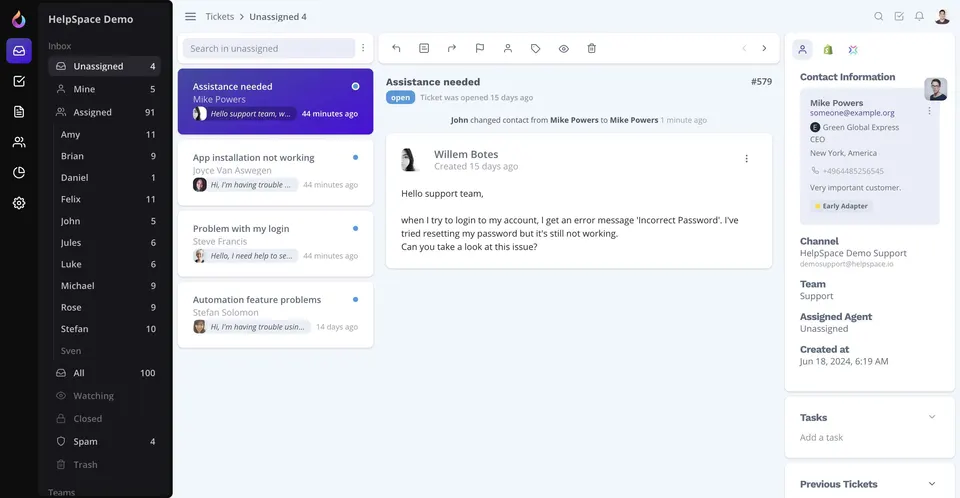
HelpSpace uses a guided walkthrough to show new users the path from their inbox to a reply. Open the example to see what a viewer can explore at their own pace.
Frequently asked questions
Do I have to book a demo to try SmartCue?
No. SmartCue is fully self-serve — sign up, record your first demo, and publish it the same day, no call required. Booking a demo is just for teams who'd rather see it live first or have specific questions before they commit.
How long is the call, and who will I be talking to?
30 minutes, one-on-one with the SmartCue team.
What if I have more questions after the call?
Reach out anytime at [email protected].