By Robin Singhvi · Founder, SmartCue · Updated April 29, 2026
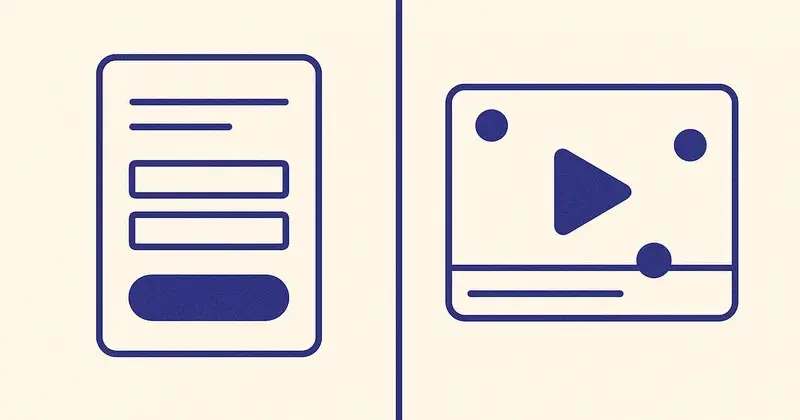
The "Request a Demo" form is the most over-optimized, under-performing surface in B2B SaaS. Marketers shorten it from 11 fields to 7. They A/B test the button color from blue to orange. They add a testimonial above the fold. They swap "Request a Demo" for "See It in Action." Most pages still convert at under 1.5%.
I've been watching this category from inside SmartCue for four years. SmartCue powers 10,000+ interactive demos for 4,000+ teams, and every quarter I see the same pattern: the teams converting demo-page traffic at 5-8% almost always have a working interactive demo on the page. The teams stuck at 0.5-1.5% almost always have a form. The form isn't the conversion mechanism. It's the friction that's stopping the conversion.
So here's the defended thesis for this post: the highest-converting "request a demo" page in 2026 isn't a form. It's an interactive demo. The form is a bandage on a buyer-experience problem; the interactive demo embedded on the page is the actual fix. If you must run a form (and most teams will, for a while), I'll give you the eight tactical improvements that move the number. But I want you to understand what you're actually patching first.
What demo-request forms are actually doing in your funnel
Strip away the marketing fiction and look at what a "Request a Demo" form does in the buyer's day.
A buyer lands on your homepage. They've already read a competitor's site, watched a YouTube teardown, and skimmed your G2 page. They want one thing: 30 seconds of clarity on whether your product solves their problem. They scroll, they don't get it, and they hit "Request a Demo" because that's the path you offered.
What happens next:
- They fill out 7-11 fields, including phone number and company size.
- Your form posts to HubSpot, your routing logic kicks in, an SDR sees the lead.
- The SDR sends a Calendly link. The buyer picks a time 4-7 days out.
- On the call, the SDR runs discovery for 15 minutes before showing any product.
- The actual demo lasts 20 minutes, mostly slides.
- The buyer leaves the call knowing roughly what your product does.
Round-trip from "I'm curious" to "I understand the product": between 5 and 9 days. Round-trip from "I'm curious" to a competitor's interactive demo on the same buying day: 90 seconds.
That's the gap the form is hiding. The form isn't a conversion mechanism. It's a delay mechanism. You're trading buyer momentum for SDR pipeline metrics, and you're losing the buyers who didn't want to wait.
Forrester's 2024 buyer-research data showed B2B buyers now spend more than 70% of the buying journey before talking to a vendor. OpenView's PLG Index tracks the same shift through PLG-tier conversion data. The buyer's mental model has changed; the form-and-SDR model hasn't caught up.
The form is doing one job well — qualifying leads for a sales team that's expensive to staff. The form is doing the other job — converting interested buyers into informed buyers — terribly.
Why interactive demos convert better at the same funnel position
Replace the form with an interactive demo embedded on the same page and the buyer's experience becomes:
- They land on the page.
- They click a "Try it now" or "See the product" button.
- The interactive demo loads in-page. They click through 8-12 steps in 3-4 minutes.
- A lead-capture gate appears at step 4 or step 6, asking for email + company.
- They fill out the gate because they've already seen 60% of the product and want the rest.
- The captured email lands in HubSpot with full step-level engagement data attached.
The conversion is roughly 4-6× higher in my experience watching SmartCue customers run this swap. Not because the interactive demo is magic, but because the buyer is providing their email after they've experienced the product, not before. The exchange feels fair. The form-first model asks for the email before the buyer has any evidence the product is worth their time.
A few SmartCue customers running this pattern at scale:
- Personify Health (formerly Virgin Pulse, ~3,000 employees serving Fortune 500 employers) has published 800+ interactive demos through SmartCue, with well over 100,000 viewer interactions. Their PMM team uses these demos as the "see the product" surface on landing pages instead of a form-gated demo request.
- Creditsafe (the global credit-data company, 1,500+ employees) runs 1,000+ demos with 30,000+ viewer interactions across multiple regional sub-orgs. Many of those demos sit on commercial landing pages as the primary engagement surface.
- OneDigital (US health and benefits, 3,000+ employees) embeds 250+ active demos in sales-enablement and outbound sequences, often replacing the "click here for a demo" form-link path.
The lead quality from interactive-demo gates is also higher. Step-level engagement is a stronger qualification signal than 9 form fields. A buyer who clicked through 11 of 12 demo steps and then submitted email is dramatically more qualified than a buyer who filled out the form because they were curious and figured they'd get a calendar link.
The math is simple. A 1.0% form-conversion page becomes a 4-6% interactive-demo-gate page at the same traffic level. That's 4-6× more leads, with higher intent, with full engagement data attached, without adding an SDR.
This is the swap. Everything else in this post is what to do if you can't make the swap right now.
If you must run a form: the 8 tactical improvements that actually move the number
You probably can't replace the form tomorrow. The sales team owns the form, marketing owns the page, the deal-flow forecast assumes the existing conversion rate, and changing the buyer-experience model is a quarterly conversation, not a Tuesday-afternoon one. Fine. Here are the eight tactical changes that move form conversion from "embarrassing" to "respectable" while you make the case for the bigger change.
1. Cut the form to 4 fields. Stop arguing about it.
Name, work email, company, role. That's it. Phone number, company size, country, "how did you hear about us," and "what brings you here today" all go away. Every field beyond 4 costs you measurable conversion. The SDR can ask the rest on the call. If you're worried about lead quality, see #2.
2. Use the email domain to enrich, don't ask the buyer to.
When a buyer enters lisa@creditsafe.com, you already know the company name, industry, headcount, and likely role-band. Tools like Clearbit, Apollo, or even HubSpot's enrichment tier handle this automatically. The buyer types one piece of data; you receive twelve. The fields you removed in #1 come back in the database without coming back on the form.
3. Replace the headline with a single specific outcome.
"Request a Demo" as a headline is the worst possible use of the most valuable real estate on the page. Replace it with the one outcome a customer like the buyer would say after they bought. "Cut your demo-build time from 3 weeks to 6 minutes" beats "Request a Demo." Specific, numeric, customer-shaped. If you can't write that headline, you don't know what your product does for the buyer yet — that's a separate problem.
4. Show one named customer above the form, not a logo wall.
A logo wall says "many companies use us." A single named customer with a specific outcome says "this could be you." On SmartCue's pages I lead with single-customer proof — "Personify Health publishes 800+ interactive demos through SmartCue" — over a generic logo strip. The single proof point is harder to ignore and harder to dismiss as marketing.
5. Move the form above the fold; move everything else below it.
Buyers who landed on a "Request a Demo" page already decided they want a demo. They don't need to be re-convinced. They need to fill out the form and leave. Every section between the headline and the form is a section where a buyer hesitates and bounces. Form first. Proof second. FAQ third. Feature list dead last.
6. Replace the calendar widget with "We'll email you within 24 hours."
The interactive Calendly widget is a category mistake. The buyer just submitted intent — now you're asking them to do scheduling work. Most buyers leave the calendar without picking a slot. A "We'll email you within 24 hours with three options that fit your schedule" line converts higher because it returns the work to the seller, where it belongs.
7. Add a real escape hatch: "Or see the product yourself."
For the buyer who isn't ready to talk to sales but is ready to see the product, give them a non-form path. A pricing-page link, a public interactive demo, a self-serve free tier. SmartCue's site does this — every form-gated page also exposes a self-serve signup at app.getsmartcue.com — and the self-serve path captures buyers the form would have lost. Even if your motion is sales-led, the escape hatch reduces total page bounce.
8. Set up a weekly review of "submitted but never replied."
The fastest way to find your form-conversion problem is the leads who fill out the form and never hear back inside an hour. SDRs miss leads. Routing logic breaks. Calendly links expire. Run a weekly query: "leads submitted in the last 7 days where SDR first-touch latency > 4 hours." Fix the routing breakage. You'll often find your "conversion problem" was actually a "the team ghosted half of the submissions" problem.
These eight will not get you to a 5% conversion rate. They'll get you from 1% to maybe 2-3% on a good page. The 5-8% page is the interactive-demo page. But 2-3% beats 1%, and these tactics buy you time to build the bigger fix.
The hybrid model: interactive demo for the curious, form for the high-intent
The honest answer for most teams isn't "kill the form" or "kill the interactive demo." It's both, structured by buyer intent.
Picture a single landing page with two paths above the fold:
- Primary path — "See the product now" → opens the interactive demo in-page. The demo has a lead-capture gate at step 4 (email only) and a "Talk to sales" CTA at the end of the demo.
- Secondary path — "Talk to sales" → expands the 4-field form. For high-intent buyers who already know they want a sales conversation.
The interactive demo absorbs the curious — the 70% of buyers who would have bounced off the form. The form serves the 30% who arrived ready to talk. Both paths feed HubSpot with intent-tagged leads. The SDR team gets fewer total leads but higher-quality ones, because the curious-but-not-ready buyers are now in a nurture sequence anchored by their actual demo engagement instead of cluttering the SDR queue.
This is the model I see working at SmartCue customers like League (Series E digital health benefits) and Quisitive (publicly-traded Microsoft cloud consulting). They run interactive demos on the high-intent landing pages and forms on the "Talk to a specialist" pages, and the funnel converts better than either alone.

What "see the product now" actually looks like in the wild
A few SmartCue customer examples worth pointing at:
Personify Health runs interactive demos on internal-facing PMM launch pages and external-facing employer-buyer pages. Same product, different demo variants for different personas, all served from the same SmartCue source flow with persona-based personalization swapping the copy and CTAs. Buyers see the demo variant for their role; PMM only builds it once.
Creditsafe uses interactive demos as the primary engagement surface in their outbound sequences across multiple country sub-orgs (creditsafe.com, creditsafe.it, creditsafe.fr, graydoncreditsafe.nl, and more). The link in the cold-email-3 sequence opens a 12-step interactive walkthrough of the credit-report product, with a lead-capture gate at step 6. The captured email syncs to HubSpot, the SDR follows up with engagement data attached.
OneDigital built a sales-enablement library of 250+ active demos. Their AEs paste a personalized SmartCue link into cold-email follow-ups instead of asking buyers to "schedule 30 minutes to see the product." Buyers click the link, click through the demo, and book a call themselves when they're ready. The "Request a Demo" form on the OneDigital marketing site exists, but it's not the primary conversion path — the interactive demos in outbound are.
League runs an active SmartCue program with several thousand viewer interactions across their demos. PMM-led adoption.
Quisitive (TSXV:QUIS, Microsoft cloud consulting) runs 200+ demos and thousands of viewer interactions, mostly tied to specific service offerings.
Dario Health (NASDAQ:DRIO) runs SmartCue across multiple product lines.
None of these companies got there by tweaking the form. They got there by replacing the form-first surface with a product-first surface and routing the form to the buyers who specifically wanted a sales conversation.

CTA: build the interactive demo before you redesign the form
If you're tempted to spend the next three weeks on form-conversion A/B tests, stop. Spend three days building one interactive demo, embed it on the page, and put the form behind the "Talk to sales" CTA instead of in front of it. You'll learn more about your funnel in 30 days of that than in 12 months of form testing.
Building the interactive demo on SmartCue takes about 6 minutes for a median 12-step flow. The Chrome extension captures every step, the no-code editor lets you reorder, add highlights, drop in lead-capture gates, and set the AI voiceover. HubSpot integration handles the lead sync. The free tier publishes real demos to real customers.
Start free at app.getsmartcue.com → or see pricing →.
Frequently asked about request-a-demo conversion
What's a normal "request a demo" conversion rate in B2B SaaS?
The middle band sits between 0.5% and 2.5% of landing-page traffic. The pages converting at 5-8% almost always have an interactive demo embedded; the pages stuck under 1% almost always have a form-only model with 7+ fields.
Should I A/B test the form before adding an interactive demo?
No. Form A/B tests typically move conversion 10-30% on a relative basis. Replacing form-first with interactive-demo-first typically moves it 300-500%. Spend the engineering and PMM hours on the bigger lever.
How long does it take to build an interactive demo for the page?
On SmartCue, a median 12-step demo takes about 6 minutes from end-of-capture to a published, embeddable walkthrough. Add 15-30 minutes if you want persona variants and lead-capture gates configured. A first version on the page in a single afternoon is realistic.
Won't replacing the form hurt SDR pipeline?
Short-term it changes the lead mix. You'll get fewer total form submissions (because the curious buyers no longer fill out the form to "see the product") and more high-quality submissions (because the form-only path now serves the intent-ready buyers). Most teams I've watched run this swap saw lead quality improve and SDR-to-meeting conversion rise within 60 days.
What lead data do I capture from an interactive demo?
Email (at the gate), step-level engagement (which steps the buyer watched, where they dropped off, which CTAs they clicked), persona variant (which version of the demo they saw), source URL, and time-on-demo. SmartCue syncs all of this into HubSpot natively.
How does the lead-capture gate work?
Drop the gate at any step in the editor. Buyers click through earlier steps freely; at the gate, they enter email + company to continue. Captured emails sync to HubSpot, with full pre-gate engagement data attached.
Can I run a form and an interactive demo on the same page?
Yes. The hybrid model is the right answer for most teams: interactive demo as primary CTA, form behind a "Talk to sales" secondary CTA. Both feed HubSpot with intent-tagged leads.
What if my buyer is regulated or compliance-sensitive and can't click through demos?
Buyers in regulated industries usually can click through interactive demos — the demo is rendered video-style content, not live access to your product. SmartCue runs on production-grade cloud infrastructure with AES-256 at rest, TLS 1.2+ in transit, granular per-org access controls, and IP allowlisting on demo viewing. Full security overview at /security.
Related reading
- What is SmartCue? — what the platform is and who actually uses it
- 12 interactive product demo examples — what good demos actually look like by funnel stage
- How to create an interactive product demo — the 6-minute build walkthrough
- SmartCue alternatives compared — full competitive matrix
- Pricing — $99/user/year Essential, $300/user/year Growth, no hidden Enterprise tier