By Robin Singhvi · Founder, SmartCue · Updated April 29, 2026
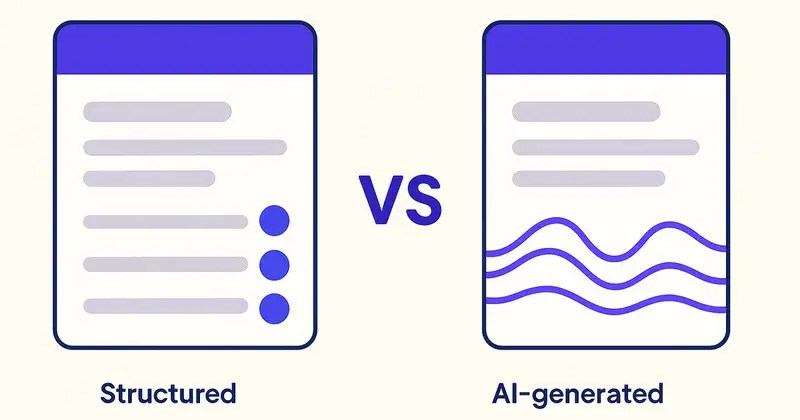
Olto and SmartCue both occupy the interactive demo space in 2026, but they bet on different futures. Olto is building toward an AI-native, real-time, prospect-personalized demo experience. SmartCue is built around a self-serve, structured, repeatable workflow that thousands of teams already run in production. Both bets can be right; they fit different buyers.
This post is the line-by-line comparison. What each platform does well, where each falls short, and how to decide which one fits your team. Honest take from a competitor — I built SmartCue, and I'll be specific about where Olto wins.
If you're evaluating both platforms, this saves you the spreadsheet. If you've already picked one and are second-guessing, the framework at the bottom helps.
The 30-second answer
SmartCue is the established self-serve interactive demo platform. 4,000+ teams (including Personify Health, Creditsafe, OneDigital, League, Quisitive, Dario Health) run on it, generating well over 1.5 million viewer interactions across 10,000+ published demos. Plans start at $99/user/year, fully self-serve, no sales call. Built by a one-person AI-native company.
Olto is a newer, AI-native interactive demo platform aiming at real-time prospect-personalized demos generated on the fly. Smaller customer base today; positioned for early-adopter teams comfortable with AI-first workflows and willing to pay a premium for the bet on where the category is going.
The choice between them comes down to whether you want a proven self-serve workflow that's already running at scale (SmartCue) or a bet on AI-native real-time personalization that's still maturing (Olto).
How they differ at the architectural level
The core architectural difference: SmartCue captures structured demos that you edit and personalize at design time. Olto generates demos at runtime using AI from a base set of product captures.
That distinction drives every other difference:
- SmartCue's model: PMM captures the product flow once, edits structured steps, defines persona variants in the editor. Variants are deterministic — the same persona always sees the same demo. Updates flow through the editor.
- Olto's model: A base set of product captures exists; AI generates a personalized demo for each viewer based on their context (URL parameters, identified data, intent signals). Variants are generative — the same persona may see slightly different demos.
Both models have legitimate use cases. Self-serve teams that want predictable, controllable, easily-debuggable demos prefer the SmartCue model. Enterprise sales teams running highly personalized 1:1 outreach where every prospect deserves a custom-feeling demo are the early-adopter market for Olto's model.
Feature-by-feature comparison
| Capability | SmartCue | Olto |
|---|---|---|
| Capture method | Chrome extension, structured steps | Chrome extension + AI runtime generation |
| Editing model | No-code editor with full step control | Base capture + AI-driven runtime variants |
| Personalization | Persona variants defined in editor | AI-generated per viewer at runtime |
| Predictability | High (deterministic) | Lower (generative outputs vary) |
| Pricing | $99/user/year (Essential), $300/user/year (Growth) | Higher entry; sales-led for most tiers |
| Free tier | Fully functional, no demo cap | Limited trial typical |
| Sales motion | Pure self-serve | Hybrid self-serve + sales-led |
| Customer base | 4,000+ teams in production | Smaller, early-adopter |
| HubSpot integration | Native | Available |
| Other CRM coverage | HubSpot only | Multiple CRMs |
| Step-level analytics | Yes | Yes |
| Custom domains | Growth tier | Available |
| Lead-capture gates | Yes | Yes |
| AI voiceover | Included | Included (often AI-generated text too) |
| Update workflow | Edit source flow → variants update | Edit capture → AI regenerates variants |
The feature parity is closer than you'd expect from two platforms that bet on different architectures. Most of what you'd build on either platform can be built on the other; the differences show up in how predictable the output is and how the operating model feels.
Where Olto is the better choice
Honest take from a competitor:
- You're an early-adopter team excited about AI-native workflows. If your team enjoys being on the bleeding edge and is willing to debug occasional AI-generated quirks in exchange for the personalization upside, Olto is the bet.
- You're running 1:1 enterprise outreach where every prospect deserves a feels-custom demo. Olto's runtime generation can deliver a demo that mentions the prospect's company, role, and likely use case in ways that would be tedious to define manually.
- You're betting that AI-native is the right long-term direction. If you believe the interactive demo category will move toward generative, you may want to standardize on a vendor building toward that today rather than retrofit later.
- Multi-CRM environments. If your sales ops uses Salesforce, Marketo, Outreach, or other CRM stacks, Olto's broader integration coverage fits better than SmartCue's HubSpot-only model.
Where SmartCue is the better choice
The mirror set:
- You want a proven self-serve workflow that's running in production at scale. 4,000+ teams. 10,000+ published demos. The model works. Predictable, debuggable, repeatable.
- You need predictable, deterministic demo behavior. Compliance review wants the same demo every time. Marketing wants approved messaging that doesn't drift. Self-serve buyers want demos that don't surprise. SmartCue's deterministic model fits.
- Your CRM is HubSpot. SmartCue's HubSpot integration is built for self-serve teams; deep, supported, no engineering required.
- You want transparent, low pricing. $99/user/year for Essential. Published. No quote required. SmartCue's per-seat economics are dominant in the self-serve band.
- You want enterprise customer reference points at the self-serve price. Personify Health, Creditsafe, OneDigital, League, Quisitive, Dario Health — all running on SmartCue at the same price you'd pay.

Pricing comparison
- SmartCue Essential: $99/user/year. Unlimited demos, full editor, all export formats, basic analytics, lead capture, HubSpot integration. Pricing page.
- SmartCue Growth: $300/user/year. Adds custom domains, advanced personalization, deeper analytics, priority chat support.
- Olto: Pricing isn't fully published as of April 2026. Free trial available; paid tiers typically negotiated, likely landing in the $100-$300+/seat-per-month range based on category positioning. Verify on Olto's pricing page before signing.
The price gap between SmartCue and Olto is significant. For 5 seats, SmartCue Essential is $495/year. Olto at the lower end of mid-market pricing is likely $6,000+/year. The gap reflects the "established + self-serve" vs "early-adopter + AI-native" positioning, not feature parity per se.
What teams switching between the platforms typically do
Teams that move from Olto to SmartCue typically cite three reasons:
Reason 1 — Predictability. Generative AI demos vary. For some buyers (enterprise PMM with brand-consistency requirements), variability is a feature. For others (compliance-conscious buyers, regulated industries), variability is a bug. Teams in the second group often switch to a deterministic model.
Reason 2 — Cost. The AI-native premium is real. Teams that try the AI-generated personalization for 6 months and find that 80% of the value comes from a few well-built persona variants often migrate to a deterministic platform at lower cost.
Reason 3 — Operational maturity. Olto's AI-runtime model requires understanding what to feed the AI vs what to control manually. Teams that don't have an AI-fluent operator end up wrestling with both the platform and the AI prompts. SmartCue's editor model is closer to traditional content production — less novel, more predictable.
Teams that move from SmartCue to Olto are typically:
Reason 1 — Hitting the limits of static personalization. Teams that have built 50+ persona variants in SmartCue and still want more granularity sometimes graduate to AI-runtime.
Reason 2 — Multi-CRM environments. SmartCue is HubSpot-only. Teams that need Salesforce + Outreach integration may move to Olto for the broader integration coverage.
Reason 3 — AI-first organizational positioning. If your company's narrative is "we use AI everywhere," running on an AI-native demo platform aligns the GTM tooling with the brand.

How to decide
Three questions:
Question 1: Do you need predictable, deterministic demos or are you comfortable with AI-generated variability?
- Predictable → SmartCue
- Comfortable with variability → Olto
Question 2: Is your CRM HubSpot or something else?
- HubSpot → SmartCue
- Salesforce / Marketo / multi-CRM → Olto
Question 3: How price-sensitive is your buying decision?
- Sub-$1,000/year for the seat count you need → SmartCue
- AI-native premium fits the budget → Olto
If two of three answers point to one platform, that's your platform. If they're split, default to the one that fits your operating model better — self-serve teams pick SmartCue, sales-managed teams pick Olto.
Frequently asked about SmartCue vs Olto
What's the main difference between SmartCue and Olto?
SmartCue captures structured demos that you edit and personalize at design time — deterministic, predictable, controllable. Olto generates demos at runtime using AI based on prospect context — generative, personalized, less predictable.
Which is better for B2B SaaS sales teams?
Both work for B2B SaaS. SmartCue fits self-serve sales motions (PMM-led, AE-led personalization through the editor). Olto fits enterprise 1:1 outreach where AI-generated per-prospect demos add value worth the price premium.
Is Olto AI-native?
Yes, Olto's positioning emphasizes AI-native real-time personalization. SmartCue uses AI for voiceover and editor assistance but the core architecture is structured-step capture rather than generative.
Can SmartCue do AI-personalized demos?
SmartCue includes AI voiceover and AI-assisted editing. Persona variants are defined in the editor, not generated at runtime. For deterministic personalization, this is a strength; for generative-on-the-fly personalization, Olto's architecture is built for it.
What does each platform cost?
SmartCue Essential: $99/user/year. SmartCue Growth: $300/user/year. Both published at /pricing. Olto: pricing not fully published; verify on their pricing page. Likely several multiples of SmartCue's per-seat cost.
Can I use both platforms?
Possible but rare. The category benefit comes from consolidating demo workflow on one platform. Running both adds operational overhead without clear additional value.
Which platform integrates with my CRM?
SmartCue: HubSpot only. Olto: broader CRM coverage including Salesforce. If you're on HubSpot, SmartCue's integration is the deepest in the self-serve band. If you're not, Olto fits better.
How do I migrate from Olto to SmartCue?
Capture re-runs in SmartCue's Chrome extension take 6 minutes per demo on the median case. Most teams complete the transition in 2-4 weeks depending on demo count.
Related reading
- What Is SmartCue? — the platform behind this post
- What Is an Interactive Demo? — the category framing
- SmartCue alternatives compared — full vendor matrix
- Demo Platform Pricing Index — monthly snapshot
- Walnut.io Pricing 2026 — enterprise sales-led
- Supademo Pricing 2026 — closest self-serve competitor
Try SmartCue free at app.getsmartcue.com or see pricing →.