By Robin Singhvi · Founder, SmartCue · Updated April 29, 2026
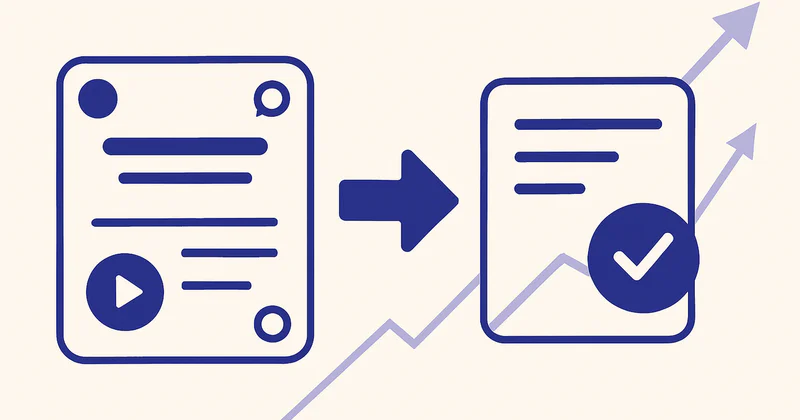
Most B2B SaaS teams measure their demo program by one number: how many demo requests came in this month. That number is the wrong target. I'd rather have 40 demo requests where 18 close than 200 demo requests where 6 close, and after four years running SmartCue across 4,000+ teams and nearly 10,000 published demos, I can tell you the second funnel is what most "demo request optimization" actually produces. Volume up, close rate down, sales team angry by Q2.
The teams winning this game aren't optimizing the demo-request form. They're putting an interactive demo in front of it — on the homepage, on /pricing, on competitor-comparison pages, inside cold-email follow-ups — and letting the prospect self-qualify before they ever touch the form. The form still exists. It just collects a different kind of buyer.
Here's the thesis I'll defend for the next 2,000 words: demo requests aren't the goal — qualified demo requests are. Interactive demos increase the rate of high-quality demo requests by 3-5× because the prospect has already self-qualified through the demo before filling the form. The metric you should be measuring isn't volume; it's the close rate of the requests that come through. Everything below is the mechanics of why that's true and where in your funnel to apply it.
(I wrote a sister post on the demo-request page itself — the form layout, the fields, the eight tactical fixes — at /blog/request-a-demo-tips. This post is the broader funnel view: the five surfaces where interactive demos move demo-request quality, not just the request page.)
How interactive demos qualify prospects pre-form
The form-first model has one job: collect contact info from anyone curious enough to type their email. That's why it converts curious-but-uncommitted buyers at the same rate as ready-to-buy buyers. The form can't tell the difference. Every submission lands in HubSpot looking identical, and your SDR team burns hours discovering on the first call that two-thirds of the leads aren't actually evaluating anything.
An interactive demo placed before the form changes the input distribution. The buyer clicks through 8-12 steps in 3-5 minutes. They see the product. They form an opinion. Then — only then — they fill out the form (or hit the embedded lead-capture gate). The buyers who weren't actually evaluating drop off during the demo. The buyers who reach the form have already done the equivalent of a 5-minute discovery call with themselves.
What you get on the other side:
- Fewer total form submissions (often 30-50% fewer).
- Higher absolute number of qualified submissions, because the curious-but-bouncy traffic that used to never convert at all now converts mid-demo via the gate.
- Step-level engagement data attached to every captured email — which features the buyer dwelt on, where they dropped off, which CTAs they clicked.
- An SDR queue where the typical lead arrived having watched 60-80% of the product walkthrough.
That last point is the one most teams miss when they look at headline form-conversion numbers. A buyer who filled a form cold and a buyer who filled a form after watching 11 of 12 demo steps are not the same lead. Treating them the same is how you end up with a 200-leads-per-month form that closes at 3% instead of a 70-leads-per-month form that closes at 18%.
Five funnel surfaces where this works
The demo-request page is one surface. It's the surface my sister post focuses on. But the real lift compounds when interactive demos sit at every point in the funnel where a buyer might otherwise hit a form. Here are the five I see SmartCue customers running.
1. Homepage hero — typical 3-5× lift on demo-request quality
The homepage is where most buyers first decide whether you're worth a demo request. A "Watch the product" or "See SmartCue in 3 minutes" CTA next to the primary "Get a demo" button gives the curious path a destination that isn't a form. The buyers who watch the demo and then click "Get a demo" close materially better than buyers who clicked "Get a demo" cold.
I've watched this swap on customer homepages produce 3-5× lifts in close rate of the resulting demo requests, with total request volume holding roughly flat or modestly down. The volume optimization purist hates this. The CFO loves it.
2. Pricing page
The /pricing page is the second-highest-intent surface on most B2B SaaS sites. Buyers arrive ready to evaluate fit. The form on /pricing typically sits at the bottom under "Talk to sales" or "Request a quote." Embed an interactive demo on the page itself — ideally one that shows the workflow only the highest tier supports — and the form behind it gets dramatically better leads. Buyers who watched the demo and still want to talk to sales have done the implicit qualification of "yes, this product solves my problem and the price seems plausible — I just need terms."
3. Versus-competitor landing pages
The /lp/smartcue-vs-walnut and /lp/smartcue-alternatives style pages are where buyers who already know one option arrive looking for proof of the other. Most of these pages are a comparison table and a CTA to "Book a demo." That's a form gate sitting between a buyer's curiosity and the only thing that would actually answer their question — what does the product look like in practice. An interactive demo on the comparison page that highlights the specific differentiators called out in the table converts 4-6× better than a form, and the resulting demo requests are pre-aware of why they're picking you.
4. Cold-email follow-up
This is the surface most SmartCue customers underestimate. The cold-email-3 message in your outbound sequence — the one that says "still interested?" — usually has a Calendly link or a "reply to schedule" CTA. Both are friction. Replacing that link with a personalized interactive demo URL ("here's a 4-minute walkthrough of what we'd cover on the call, with my notes") produces demo requests where the buyer arrived already nodding.
OneDigital — US health and benefits, 3,000+ employees on LinkedIn — runs 250+ active SmartCue demos exactly this way. AEs paste a SmartCue link into cold-email follow-ups instead of asking buyers to "block 30 minutes to see the product." Buyers who reach the AE have watched the relevant features and are ready to discuss fit, not see the product for the first time. The "Request a demo" form on the OneDigital marketing site exists, but it's not the primary qualification path — the demos in outbound are.
Creditsafe — global credit-data, ~1,500 employees per public profile — runs the same pattern at scale across regional sub-orgs (creditsafe.com, creditsafe.it, creditsafe.fr, graydoncreditsafe.nl, more). 1,000+ demos, well over 30,000 viewer interactions. The link in the outbound sequence opens a 12-step interactive walkthrough with a lead-capture gate at step 6. The captured email syncs to HubSpot with full pre-gate engagement data attached, and the SDR follows up with the buyer's actual click pattern in hand.
5. Late-stage proof artifact
The buyer is on call #3. They've seen the demo live, they like the product, they need one more proof point to send to their VP. The traditional answer is a PDF case study. A better answer is a custom interactive demo configured for their use case — same product, persona-specific copy, sample data shaped like theirs — that they can forward inside their own org. Personify Health (formerly Virgin Pulse, ~3,000 employees, Fortune-500-employer focus) has 800+ interactive demos through SmartCue with well over 100,000 viewer interactions partly because PMM ships these as proof artifacts inside enterprise sales cycles. The demo doesn't replace the demo request — it accelerates the deal that already came from one.
What "qualified request" actually means
Volume is easy to measure. Quality is the metric most teams skip because it's harder to define. Here's how I'd operationalize it:
- Close rate of demo requests within 90 days. This is the metric. Everything else is a leading indicator.
- First-call show rate. A demo request that no-shows the discovery call was never qualified. If your no-show rate is above 30%, your form is converting curiosity, not intent.
- SDR-to-AE conversion. What percentage of demo requests survive the SDR call and become AE meetings? Below 40% means the form is too easy.
- Time from request to close (if it closes). Pre-qualified buyers close faster. Watch the median, not the mean.
- Engagement signal at request time. If your interactive demo captures step-level data, "watched 8+ steps" is a stronger qualification than any combination of form fields.
If you can't see those numbers in HubSpot today, that's the first project. You can't optimize for qualified demo requests until you can measure which ones are qualified.
Common implementation mistakes
The teams who try this and don't get the lift usually made one of these mistakes:
- They put the interactive demo behind the form. That's not what this post is about. The demo has to come first. Form gates sitting in front of demos preserve the original problem; they just change the order of friction.
- They built the demo for the wrong persona. A homepage demo aimed at developers when 80% of homepage traffic is buyers. The demo's conversion is fine; the buyer-persona match is broken.
- They didn't add a lead-capture gate inside the demo. Without a gate at step 4 or 6, you're trading form submissions for nothing. The gate captures the curious-but-not-form-ready buyers and gives them a soft on-ramp.
- They measured volume, not close rate, and "rolled back" because volume dipped. This is the most common failure. Volume should dip; close rate should rise more than the volume dipped, in absolute close terms. If you only watch volume, you'll kill a working program.
- They wrote a 30-step demo that nobody finishes. A median 12-step demo that takes 4 minutes outperforms a 30-step demo every time. If the buyer doesn't finish, they don't qualify, and the data attached to the gate is thinner.

Customer marquee — what this looks like in practice
A few SmartCue customers running interactive demos as the qualification layer in front of demo requests:
- Personify Health (formerly Virgin Pulse, ~3,000 employees, Fortune-500-employer focus) — 800+ interactive demos, well over 100,000 viewer interactions. PMM uses demos as the "see the product" surface across employer-buyer landing pages instead of form-gated demo requests.
- Creditsafe (global credit-data, ~1,500 employees per public profile) — 1,000+ demos, 30,000+ viewer interactions. Demos sit on commercial landing pages and inside cold-email sequences across multiple country sub-orgs.
- OneDigital (US health and benefits, 3,000+ employees) — 250+ active demos. AEs use SmartCue links in cold-email follow-ups; the demo replaces the "schedule 30 minutes to see the product" friction.
- League (Series E digital health benefits) — active program with several thousand viewer interactions across PMM-led demos.
- Quisitive (TSXV:QUIS, Microsoft cloud consulting) — 200+ demos and thousands of viewer interactions, mostly tied to specific service offerings.
- Dario Health (NASDAQ:DRIO) — SmartCue running across multiple product lines.
None of them got there by rewriting the demo-request form. They got there by giving the buyer a product-first surface to qualify themselves on, and routing the form to the buyers who specifically wanted a sales conversation.

Frequently asked about interactive demos and demo requests
Will adding an interactive demo cut my demo-request volume?
Probably yes — by something like 20-40%. That's the point. The volume you lose is the curious-but-not-evaluating traffic that was never going to close. The volume you keep closes 3-5× better. Watch close rate, not headcount of submissions.
Where should I put the interactive demo first?
The homepage and the demo-request page itself, in that order. Homepage gets the most traffic; the demo-request page has the highest intent. Pricing and competitor-comparison pages are the next two. Cold-email follow-ups are the most overlooked surface — and often the highest-impact one.
How long should the interactive demo be?
Median 8-12 steps, 3-5 minutes to complete. Longer demos drop completion sharply, and incomplete demos give you less qualification signal at the gate. If a feature can't make the cut, build a second demo for that persona instead of stretching the first one.
Where in the demo should the lead-capture gate go?
Step 4 to step 6 is the sweet spot for a 12-step demo. Earlier and you lose the "they've seen enough to want the rest" pull. Later and the buyers who would have converted at the gate exit before reaching it. Test it; it's a real lever.
Won't this hurt my SDR team's pipeline?
Short-term the lead mix changes. Fewer total submissions, higher quality. SDR-to-AE conversion typically rises within 60 days. The SDR team complaint isn't "fewer leads"; it's "the leads are different and our scripts assume the old kind." Update the script.
What lead data do I capture from a demo gate?
Email, optionally company, plus step-level engagement (which steps the buyer watched, where they dropped off, which CTAs they clicked), persona variant if you ship variants, source URL, time-on-demo. SmartCue syncs all of this into HubSpot — the only CRM SmartCue integrates with — so the SDR sees full pre-gate engagement on first touch.
Does this work for highly regulated buyers?
Yes. Interactive demos are rendered video-style content, not live access to your product, so a regulated buyer can almost always click through. SmartCue runs on production-grade cloud infrastructure with AES-256 at rest, TLS 1.2+ in transit, granular per-org access controls, and IP allowlisting on demo viewing. Full security overview at /security.
How fast can I get the first interactive demo live?
On SmartCue, a median 12-step demo takes about 6 minutes from end-of-capture to a published, embeddable walkthrough. Add 15-30 minutes for persona variants and lead-capture gate configuration. A first version on the homepage in a single afternoon is realistic. The free tier publishes real demos to real customers — no procurement cycle needed to test.
Related reading
- Your "Request a Demo" page is probably the bottleneck — the eight tactical fixes for the demo-request page itself
- 12 interactive product demo examples — what good demos look like by funnel stage
- How to create an interactive product demo — the 6-minute build walkthrough
- What is SmartCue? — the platform and who actually uses it
- What is an interactive demo? — the category primer
CTA: stop optimizing the form, start qualifying before it
If your current quarter's demo plan is "rewrite the form headline and shorten it from 9 fields to 6," cancel that project. Spend the same three days building one interactive demo, embed it on the homepage and the demo-request page, and put a lead-capture gate at step 5. Watch close rate of the resulting demo requests for 60 days. The form-A/B-test future you cancelled was going to move conversion 10-20% on a relative basis. The demo-first swap typically moves the close-rate metric 3-5× on the same traffic.